Skip to content

Plant care app for iPhone

Plant care,
one small step
at a time.

Meet your plant with a photo. Learn what it needs. See what to water today. Bloom helps you turn a growing collection into a little daily routine.

Free to start with one saved plant. Bloom Pro available.

On Android? Join the waitlist
Photo identificationWatering remindersCare guidance
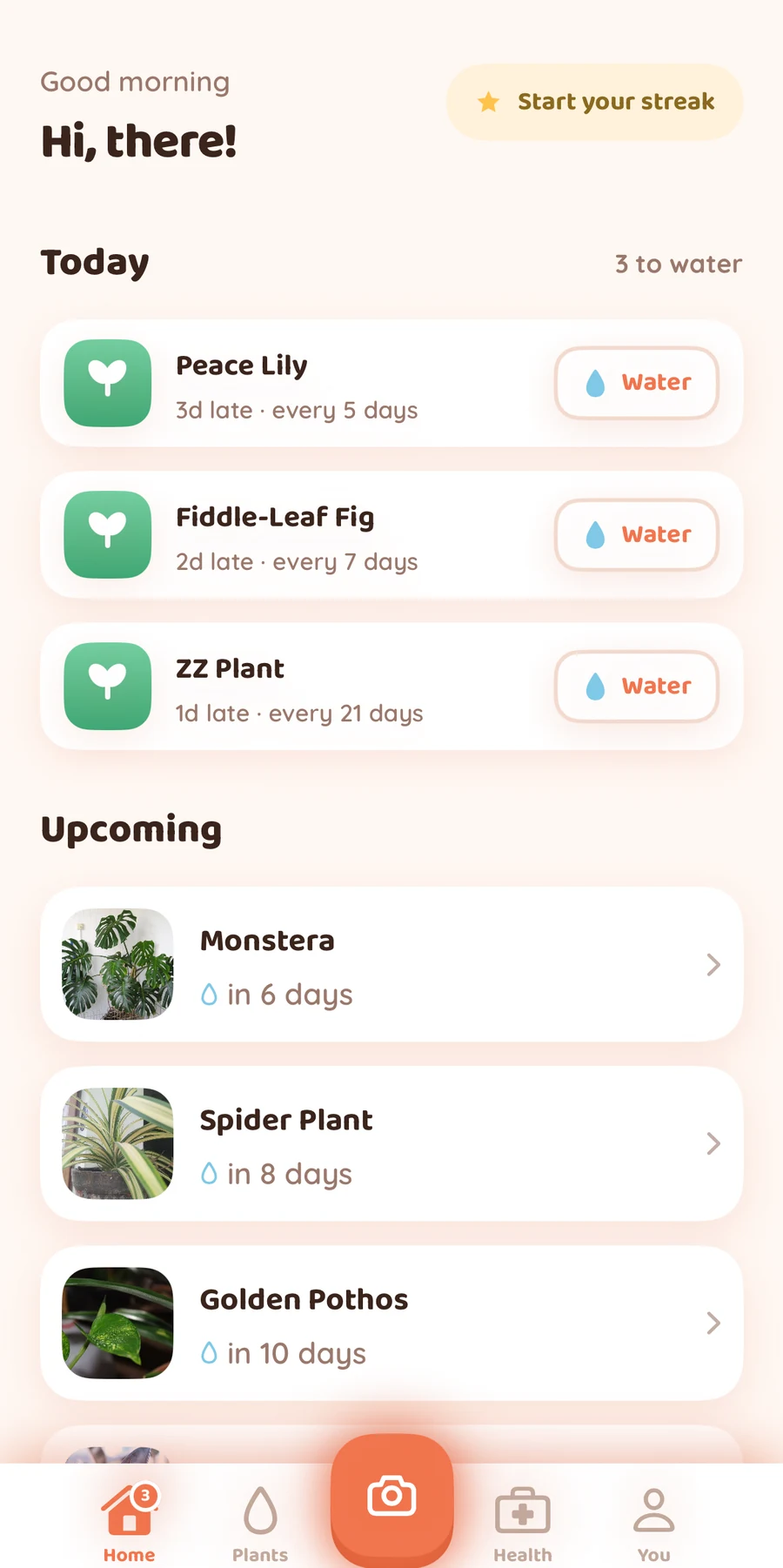
Bloom Today screen with watering tasks and upcoming plants, including Monstera and Spider Plant.
Sample collection · Bloom Pro

A little care goes a long way

From a new leaf to a daily habit.

  1. Meet your plant

    Take a photo or choose one from your library. Bloom suggests a name and shows you its care needs.

  2. Make it yours

    Save your plant, keep its photo close, and get to know its watering, light, and humidity needs.

  3. Find your routine

    Open Today to see which plants are due for a watering check. Mark a plant watered after you water it.

A home for your houseplants

Get to know them.
Grow with them.

A name is just the beginning. Keep the useful details and your next care steps together.

Plant identification

Put a name to that new leaf.

Snap a photo or upload one to get a suggested identification, then explore watering, light, and humidity guidance. Already know its name? Search for it and add it to your plants.

Free to try. Daily scan limits apply. Photo-based results can be incorrect.
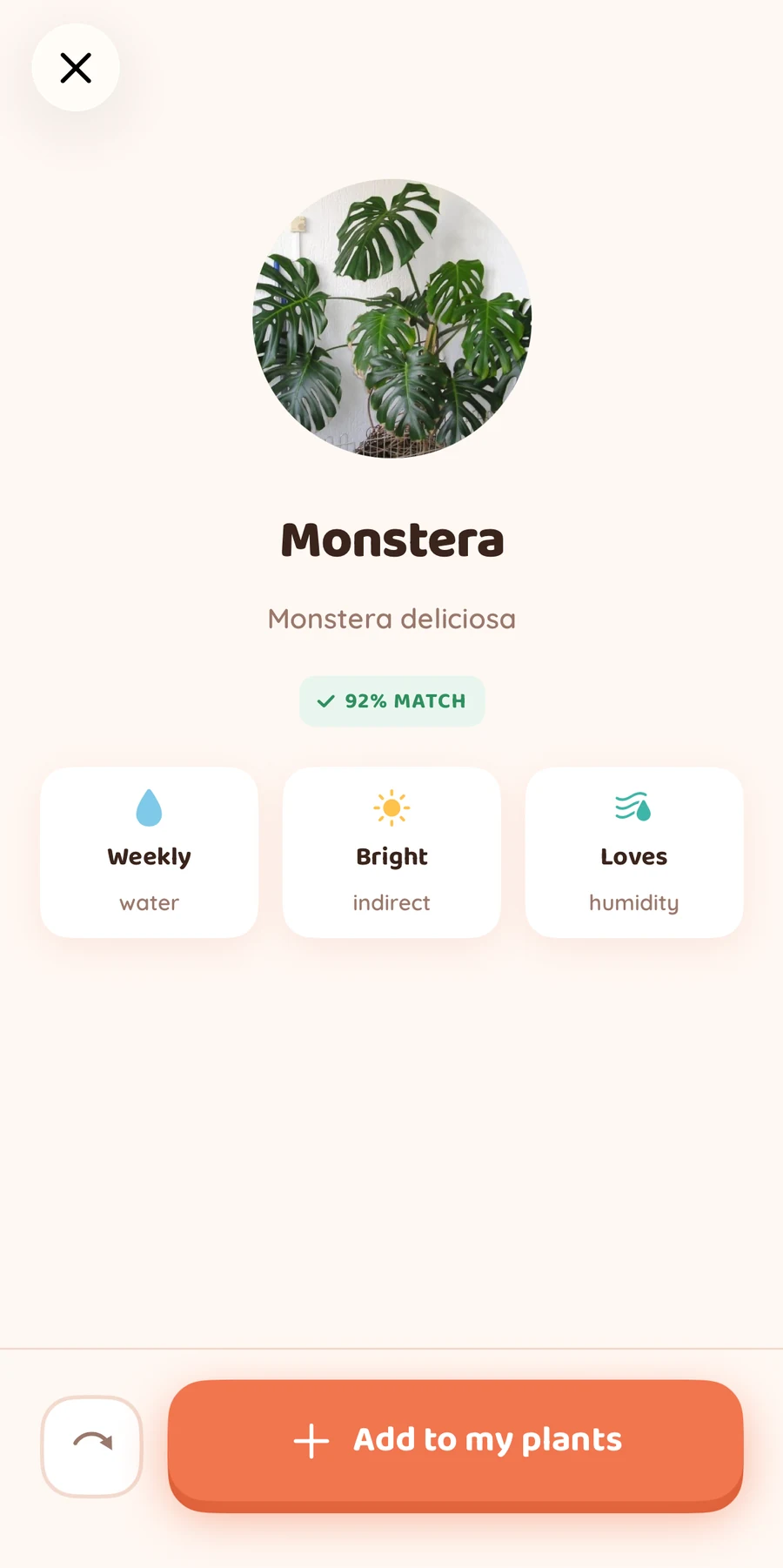
Bloom identifies a sample Monstera photo and shows its name, watering, light, and humidity guidance.
Water, light & humidity

Learn what makes it thrive.

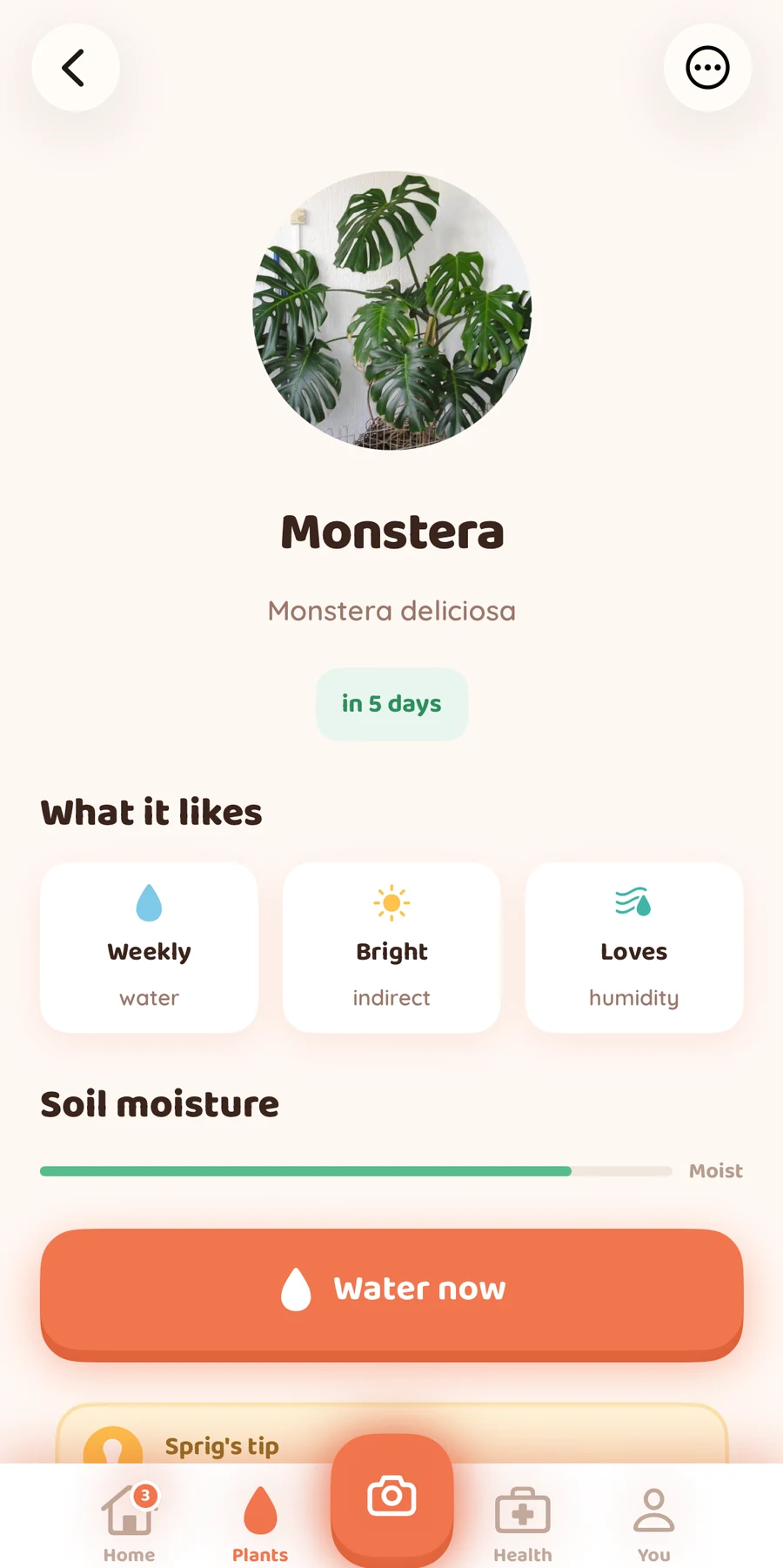
Find care guidance in each plant's details. Keep its next watering date in view, log a watering, and make checking your plants part of your day.

A Monstera care screen in Bloom with watering, light, humidity guidance, and a Water now action.
Your plant collection

Your whole jungle. In one place.

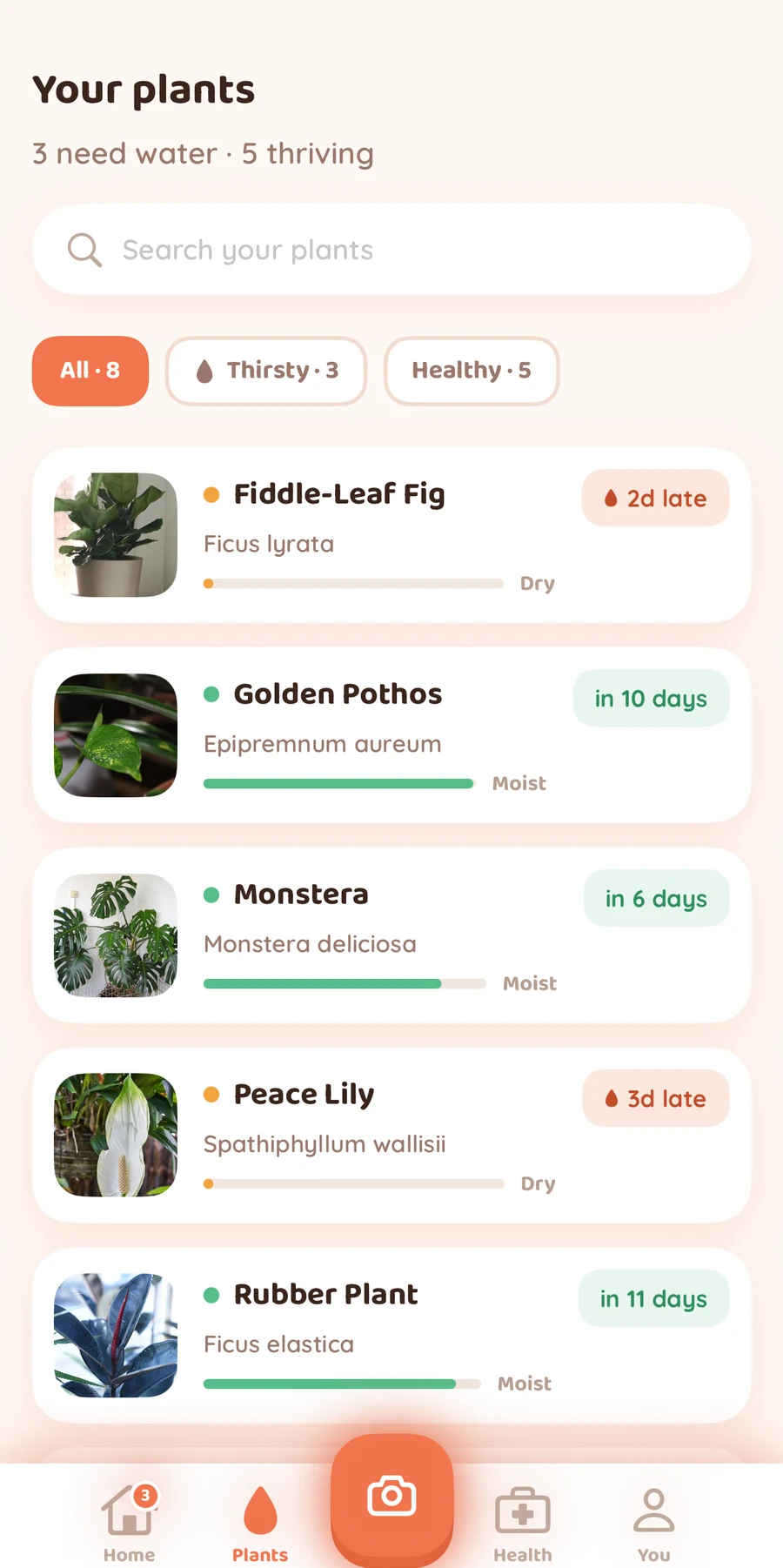
Photos, names, and watering dates, together. Find a plant with search or filter your collection. Save one plant free, or grow your collection with Bloom Pro.

A sample Bloom plant collection with photographs, names, watering dates, and thirsty and healthy filters.
Bloom Pro · Plant Health

Something wrong?
Start with a closer look.

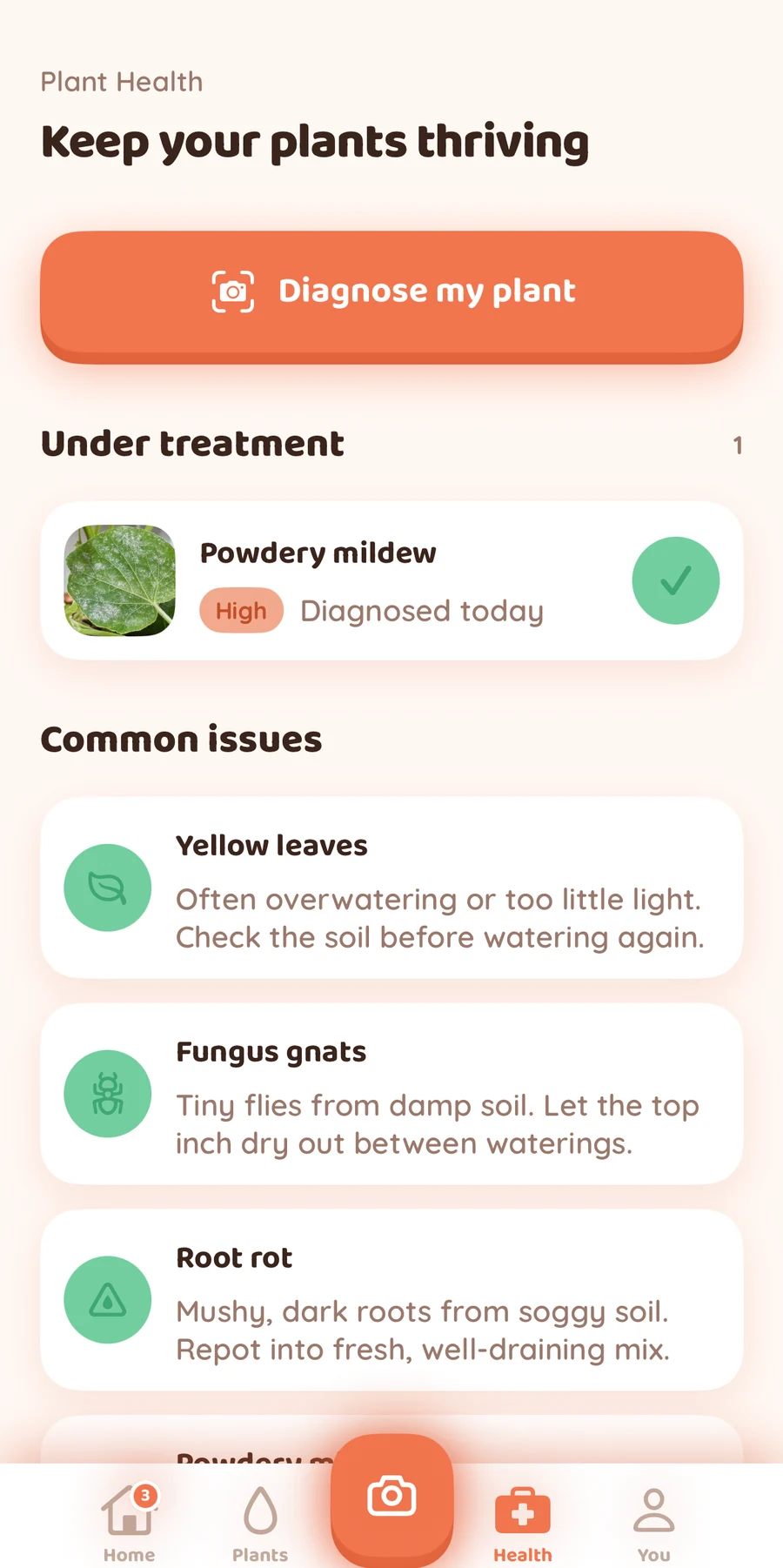
Photograph a struggling plant and add what you've noticed. Explore possible problems, get treatment guidance, and keep track of plants under treatment.

Explore Bloom Pro

Photo analysis offers guidance and may not always be correct.

Bloom Plant Health with a photo diagnosis action, a plant under treatment, and common plant issues.

Actual Bloom screens with sample plants. Multiple saved plants and Plant Health require Bloom Pro.

A little encouragement from Sprig

Every plant parent starts somewhere.

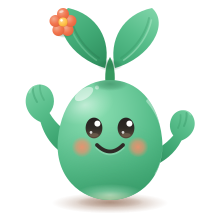
Meet Sprig, Bloom's little plant-care companion. Friendly tips and a little encouragement help you get to know your plants, one day at a time.

A little room to grow

Start with one plant. Grow from there.

Try Bloom with your first plant, then choose Pro when you want more room and plant-health support.

Bloom Free

A little help for your first plant

$0No subscription required

  • Photo identification with a daily allowance
  • One saved plant in your collection
  • Plant care details and watering reminders
  • Search the plant catalog by name
Get Bloom free for iPhone

Bloom Pro

Room for your growing collection

Monthly or annualOptional subscription, billed through Apple

  • Unlimited saved plants
  • Plant-health analysis and suggested next steps
  • Higher daily identification and diagnosis allowance
  • Everything in Bloom Free
Explore Bloom Pro in the app

Daily scan limits apply. See current prices and trial eligibility in the app before purchase. Pro subscriptions renew automatically unless canceled. If an eligible trial is offered, it converts to a paid subscription unless canceled at least 24 hours before it ends. Billing details

Good to know

A few things before you grow

Is Bloom free to use?

Bloom is free to download. You can identify plants again within the free daily allowance, save one plant, and use its care guide and watering reminders. Bloom Pro adds unlimited saved plants and plant-health tools. Daily scan limits apply. Available plans and offers are shown in the app.

Does Bloom work on my phone?

Bloom is available for iPhone and requires iOS 18.3 or later. The app is currently in English. Plant identification, health analysis, and account sync need an internet connection. There is no Android version at this time. Join the Android waitlist to show your interest. There’s no release date yet.

Can I add a plant if I already know its name?

Yes. Search the plant catalog by name and choose a match, or take or upload a photo to identify it. You can then save the plant and find its care details in your collection.

How reliable is photo identification?

Bloom uses AI to suggest an identification and shows uncertainty when the match is less clear. A well-lit photo and a view of the whole plant can help. Identifications and health suggestions can be wrong; they cannot establish whether a plant is safe to eat or safe for people or pets.

Should I water every time I get a reminder?

Use a reminder as a prompt to check your plant and its soil. Light, temperature, pot size, and season affect how quickly soil dries. Bloom helps you keep a routine, but it does not measure soil moisture. In the You tab, you can turn care reminders on or off and choose a reminder time. You can also control notification permission in iPhone Settings.

What does Bloom Pro include?

Bloom Pro includes unlimited saved plants, photo-based plant-health analysis with suggested next steps, and a higher shared allowance for identification and diagnosis. Monthly and annual subscriptions are available. Prices and any eligible free trial are shown before purchase in the app.

How do I cancel or delete my account?

Manage or cancel Bloom Pro in your Apple Account subscription settings. Deleting the app or your Bloom account does not cancel a subscription. To delete your Bloom account, open the You tab, scroll down, and choose Delete account. Our Privacy Policy explains what is deleted and any retained records.

Need a hand? Visit Bloom support.

A little plant know-how

Grow your confidence.

All plant care guides

A little seed of interest

Want Bloom on Android?

Join the waitlist to show your interest and hear about Android plans. Every signup helps us decide what to grow next.

Bloom is currently available for iPhone. There’s no Android release date yet.

Only Android-related updates. See our Privacy Policy.

Your next little habit

Let's grow something wonderful.

Start with one plant. Build a routine you can grow with.

Get Bloom for iPhone

Free to start. Bloom Pro available in the app.