App comparisons
7 Best Plant Identifier Apps for iPhone (2026)
By Bloom team · · 10 min read
U.S. prices checked
You brought it home because you liked it. Now you're looking at a yellow leaf and wondering whether it wants water, more light, or to be left alone.
The best plant identifier app for your iPhone depends on what you'd like help with after the photo.
Bloom Plant Care is our first pick for the plants you live with. Identify a plant, learn what it needs, and keep up with watering. When something looks wrong, Bloom Pro adds photo diagnosis, treatment guidance, and a place to track plants getting extra care.
For a flower you spotted on a walk, consider PlantNet or PictureThis. For a detailed care schedule you can share, look at Planta. Here's how seven apps compare, including what you get free and what costs extra.
We're the team behind Bloom. This guide reflects published features and U.S. prices checked September 12, 2026, with houseplant owners in mind. The order is our recommendation; we haven't run a side-by-side accuracy test.
Free to download, with photo identification and care for one saved plant. Plant Health diagnosis requires Bloom Pro.
The best iPhone plant identifier apps at a glance
Prices are in U.S. dollars, based on the U.S. App Store. Offers can vary, so check the price and how often you'll be charged before subscribing. A free download doesn't always mean free access to every feature.
Scroll across to compare free access and prices.
| Rank | App | Best for | What you get free | Paid plans |
|---|---|---|---|---|
| 1 | Bloom Plant Care | Our pick: houseplant care and diagnosis | Try photo identification; save and care for one plant | Pro: $7.99/month or $39.99/year, including Plant Health |
| 2 | PictureThis | Identifying plants at home and outdoors | Free download; some features cost extra | Pro options at $3.99, $7.99 and $39.99; check plan length in the app |
| 3 | PlantNet | Free plant identification | Plant identification | Free |
| 4 | Planta | Detailed care reminders | Watering tools; photo identification costs extra | $17.99–$47.99/year or $7.99–$9.99/month |
| 5 | PlantIn | Care advice and botanist consultations | Free download; paid plans available | Options include $29.99/year, $6.99/week and $49.99 lifetime |
| 6 | Blossom | Growing guides and edible plants | Free download; unlimited tools cost extra | $59.99–$79.99/year, $5.99/month or $4.99–$7.99/week |
| 7 | Seek by iNaturalist | Family nature walks | Plant and wildlife identification | Free |
Some apps list several offers; you may not see every price above. PictureThis's App Store page shows Pro prices without saying how long each plan lasts. Bloom limits how many scans you can make each day on both its free and Pro plans. Planta explains its free features in its help center.
How we chose these apps
For this guide, we give priority to help you'll use with your own houseplants: identifying them, knowing their care needs, remembering watering, and finding a next step when something looks wrong. We also look at free access and the cost of paid features.
Bloom leads for that everyday care routine. Several alternatives offer identification, care, and diagnosis too. Their particular strengths matter: PlantNet is a better starting point for free outdoor identification, while Planta adds shared care and a wider set of scheduled tasks.
1. Bloom Plant Care: our pick for houseplant care and diagnosis
You can learn a plant's name and still be unsure what to do with it on Monday morning. Bloom connects that first photo to a care routine: what the plant needs, when you last watered it, and which plants need a closer look. Bloom on the App Store.
When something looks wrong, find a next step
Say the plant on your windowsill starts drooping. You can see that something has changed, but knowing what to try next is harder.
With Plant Health in Bloom Pro, photograph the affected plant and add what you've noticed. You might mention that you recently moved it, or that the leaves have sticky spots. Your observations give Bloom more to work with alongside the photo.
Plant Health can suggest a possible problem, give you step-by-step treatment guidance, and share prevention tips. Keep plants under treatment together, then mark an issue resolved when you're ready. That gives you a place to return to when a plant needs extra attention. A photo can't tell the whole story, so compare the suggestions with what you're seeing.
The Bloom examples below use native app screens with sample data. We reviewed Bloom’s app source and these screens; competitor descriptions and prices are based on their published listings and support pages. This is a feature comparison, not a measured accuracy ranking.
See how Bloom connects identification, care and diagnosis
30 seconds · Text on screen, no audio. Illustrations and Bloom screens with sample data.
Read the text version
- You know its name. Now what? Bloom connects photo identification with care for the plants you live with. Compare the result with the plant in front of you.
- Keep a simple care routine. See what is due and coming up in Today. Check the plant before watering, then log when you actually water.
- Something looks wrong? Bloom Pro adds photo diagnosis, symptom notes, and a place for plants under treatment.
- See a useful next step. Review treatment and prevention guidance, then keep an eye on the plant. The Bloom treatment excerpt shows a sample powdery-mildew result.
- Start with one plant. Try photo identification and care for one saved plant free. Choose Pro for Plant Health. Daily scan limits apply.
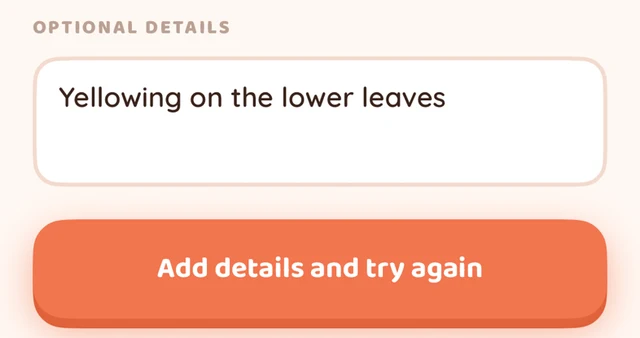
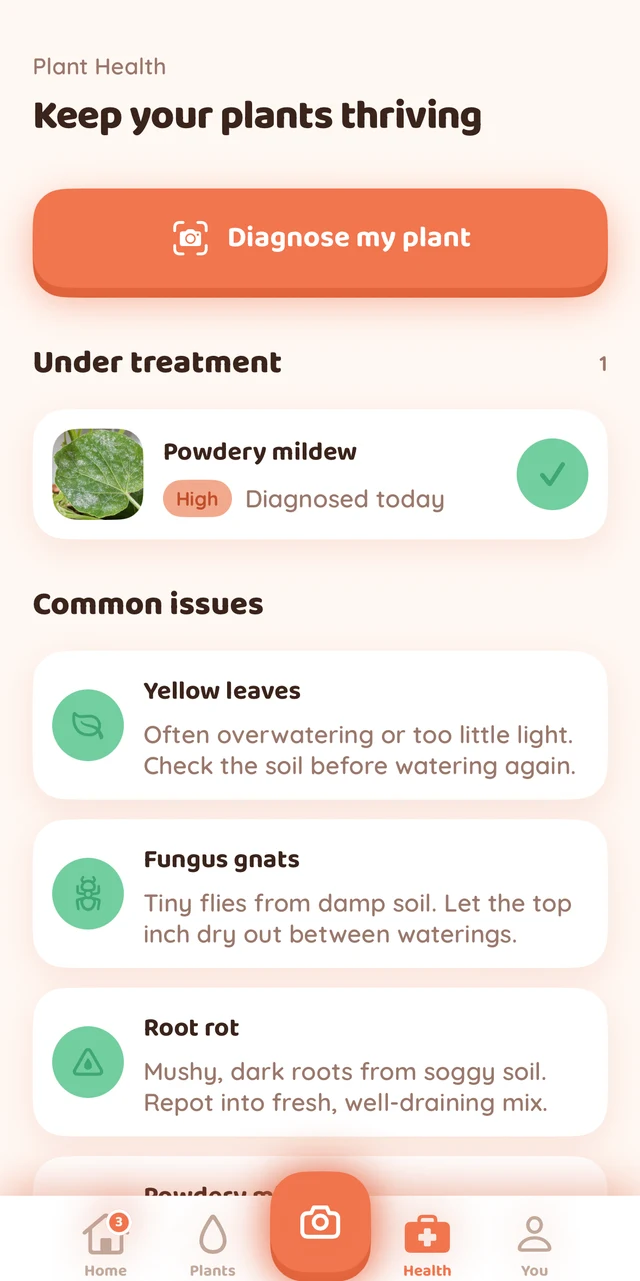
Plant Health, showing a sample plant under treatment.
Actual Bloom UI with sample data; screenshots are cropped and resized, without changing the app content. Plant Health requires paid Bloom Pro. Photo credits.
Start with the plant beside you
You don't have to organize your whole collection to see whether Bloom suits you. Pick one plant you already own:
- Find its name. Take or upload a photo. If you already know the name, search for it and add the plant.
- Learn what it likes. Read its guidance on water, light, and humidity.
- Build a small routine. Check the Today screen for upcoming watering, check the soil, and record watering when you've done it.
You can do this with one saved plant on the free plan. Free photo identification has a daily allowance. Sprig, Bloom's little plant companion, adds friendly tips along the way. See how Bloom works.
Pros
- Connects identification with the care you'll come back to after the first photo.
- Pro pairs your symptom notes with a photo to suggest treatment steps and prevention tips.
- Keeps plants under treatment together so you can see which ones need attention.
- Lets you try a care routine with one saved plant before choosing a paid plan.
Cons
- Plant Health and saving more than one plant require Bloom Pro.
- Photo identification and diagnosis need an internet connection, and daily scan limits apply.
Price: Free to start. Bloom Pro costs $7.99/month or $39.99/year in the U.S. App Store and includes Plant Health, unlimited saved plants, and a higher daily scan allowance. The yearly plan works out to about $3.33 a month, paid annually. See Bloom's plans.
Choose it if: You want to get to know your houseplants, keep up with their care, and have somewhere to turn when one looks unhappy.
Looking for help with a struggling plant? Plant Health diagnosis and treatment guidance are included in paid Bloom Pro.
2. PictureThis: best for identifying plants at home and outdoors
PictureThis is a good place to start if you're just as curious about a tree on your walk as the plant on your windowsill. Photo identification sits alongside care advice, help with plant problems, and access to expert advice. Explore PictureThis.
Pros
- Helps you learn about a plant and find care advice after identifying it.
- Includes watering reminders, a light meter, and a place to save your plants. PictureThis on the App Store.
Cons
- You'll need an internet connection to identify plants. PictureThis FAQ.
- Check the subscription screen carefully to see how long your chosen plan lasts.
Choose it if: You want help identifying the plants you encounter both at home and out and about.
3. PlantNet: best free plant identifier app
If your main question is “What plant is this?”, PlantNet is a strong place to start. It's a free project that helps people identify plants while contributing observations to plant research. About PlantNet.
Pros
- Free identification without a subscription.
- You can photograph leaves, flowers, and other parts of the same plant to help narrow down a match.
Cons
- Its main focus is wild plants, although it can identify many garden plants too.
- It offers less of the day-to-day care support you'd look for in a houseplant app. PlantNet on the App Store.
Choose it if: You want a free way to put names to the flowers, trees, and weeds around you.
4. Planta: best for detailed care reminders
Watering is only one part of looking after plants. Planta also helps organize tasks such as feeding, pruning, and repotting. A plant journal and shared care make it worth considering when your collection is growing or someone else helps look after it. Planta on the App Store.
Pros
- Keeps several kinds of plant-care tasks together.
- Lets you share care with someone else, which can be handy when you're away.
Cons
- Photo identification, Dr. Planta, the light meter, and reminders beyond watering require Premium. Planta's free and paid features.
- A paid plan may be hard to justify if you only want to identify the occasional plant.
Choose it if: You want help keeping up with a detailed care schedule for your collection.
5. PlantIn: best for care advice and botanist consultations
PlantIn is worth considering if one plant question tends to lead to another. It offers care plans, a watering calculator, a light meter, reminders, and an Ask the Botanist feature. PlantIn on the App Store.
Pros
- Gives you several ways to explore your plant's care needs.
- Offers botanist consultations for follow-up questions; check what's included in your plan.
Cons
- Weekly, yearly, and lifetime offers take a little comparing to find the right fit.
- The offers on its website differ from those in the App Store. Check the price where you plan to subscribe. PlantIn website pricing.
Choose it if: You'd like extra care tools and the option to ask a botanist for advice.
6. Blossom: best for growing guides and edible plants
Blossom combines plant identification with guidance on watering, pruning, propagation, and more. It also includes a planting calendar for edible plants, making it worth a look if your growing space includes herbs or vegetables. Blossom on the App Store.
Pros
- Useful growing guides for readers who enjoy learning as they go.
- Lets you use several photos for identification and organize plants by room.
Cons
- Unlimited identification, reminders, and several other features require Premium.
- Compare its monthly and yearly offers before choosing: the listed yearly options aren't necessarily the lowest-cost way to use it for a year.
Choose it if: You want plenty to read and learn alongside the practical care tools. Blossom and Bloom Plant Care are separate apps.
7. Seek by iNaturalist: best for family nature walks
Seek makes a walk feel like a small discovery trip. Point the camera at a plant or another living thing, learn what it might be, and earn badges as you spot more species. You don't need an account to get started. Seek on the App Store.
Pros
- Free, with identification that works without an internet connection.
- Includes wildlife as well as plants, which makes it fun for curious families.
Cons
- It focuses on exploring nature, so it isn't the best fit for keeping up with houseplant care.
- If you want other people to help confirm a finding, the separate iNaturalist app is a better fit. How Seek and iNaturalist differ.
Choose it if: You want to learn more about the living things around you on your next walk.
Which plant app should you choose?
Start with what brought you here:
- “I want to look after the plants in my home.” Start with Bloom. Try identification and a watering routine with one saved plant for free; choose Pro for a larger collection and Plant Health.
- “I just want to know what this plant is.” Try PlantNet for free identification, or PictureThis for plants at home and outdoors. You may also find Apple's built-in option below is enough for an occasional question.
- “There's a lot of plant care to keep track of.” Look at Planta for shared care and tasks beyond watering.
- “I want help with a plant that looks unwell.” Bloom Pro offers photo diagnosis with symptom notes and treatment guidance. If you'd prefer a botanist consultation, consider PlantIn and check what your plan includes.
Whichever app you choose, let a watering reminder bring you back to the plant. Check its soil before reaching for the watering can. Our guide to how often to water houseplants can help you find that rhythm.
Plant identifier app FAQs
What is the best free plant identifier app for iPhone?
PlantNet is our first pick for free plant identification. Seek is another good option for nature walks. Bloom lets you try photo identification and care for one saved plant for free, with limits on daily scans.
Can I diagnose a plant for free with Bloom?
Plant Health diagnosis is part of paid Bloom Pro. The free plan lets you identify plants within a daily allowance and save one plant with care advice and watering reminders. Choose Pro if you want photo diagnosis, treatment guidance, and room to save more plants.
Can an app help me figure out what's wrong with my plant?
Yes. Apps with plant-health features can suggest possible causes and next steps. Bloom Pro lets you add a photo and describe what you've noticed, then offers treatment guidance and a place to track plants under treatment. If you're dealing with yellow leaves, our yellow-leaf guide can also help you decide what to check.
Can an iPhone identify plants without another app?
Yes. Apple's Visual Look Up can recognize plants in supported photos. Open a photo, tap the Info button when it has a star, and look for the plant icon. Availability depends on your region and the photo. Apple's instructions.
How reliable are plant identifier apps?
Treat the result as a helpful starting point. Compare the suggested plant with its leaves, stems, and overall shape, and try a clearer photo if something doesn't fit. We haven't compared these apps in an accuracy test. Our guide to identifying a houseplant from a photo shows what to look for.
Is Bloom a good alternative to PictureThis or Planta?
Bloom is worth considering if you want identification, watering reminders, and help with plant problems in one place. If you already use another app, try Bloom with one plant before deciding whether to add your collection. Everyday care for that saved plant is free; Plant Health and saving more plants require Pro.
Start with one plant you care about
The cutting a friend gave you. The plant on your desk. The one that's grown a new leaf since you brought it home. Pick one, find out what it needs, and give yourself an easier way to remember its care.
Photo identification and one saved plant are free, with daily scan limits. Choose Bloom Pro for Plant Health diagnosis, treatment guidance, and an unlimited saved collection.